









One of the most important parts of using social media as a small business is finding the balance between the personal, community nature of the channel and a professional tone of voice which drives customers to your store.
Facebook is a particularly tricky one because it is so widespread: in 2013, more than a third of the UK’s population were using the platform every day. That means 24 million people log on daily to talk to friends, look at funny videos and maybe interact with local businesses.
Making small business content stand out on Facebook so you can engage with a small percentage of those 24 million users is difficult. But Facebook has been designed to host rich, engaging content with a minimum of fuss, and to make conversations between people quick and easy. So for small businesses, it’s a great opportunity to develop a stronger relationship with your customers and drive sales through valuable content.
If you’re stuck for inspiration, here are my three engaging Facebook ideas for small businesses.
#1: Use photos to highlight your customer base
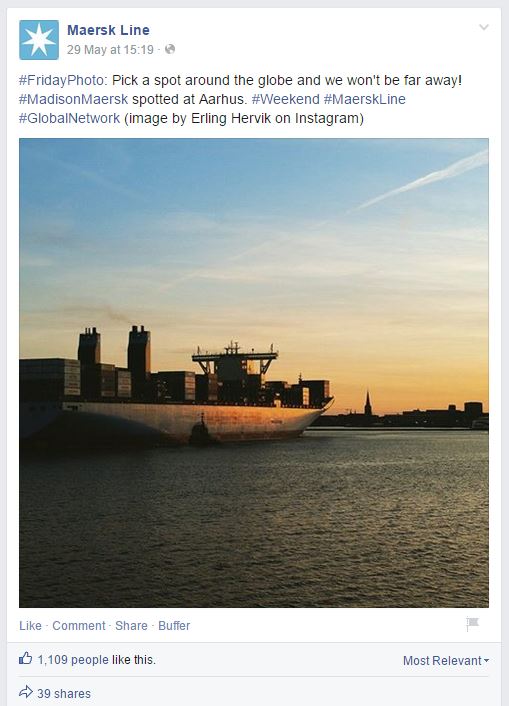
Maersk Line use customer images to support their day-to-day social updates
Channels like Instagram or Pinterest use images as their main content, which means there’s lots of ‘noise’ for businesses to compete with. But on Facebook, a well-chosen, meaningful image can have a lot of impact – photo posts and photo albums get up to 180% more engagement than regular text updates. That means more customer conversations and an opportunity to develop stronger relationships.
Rather than focus on your own content, look to your Facebook audience to generate meaningful images then use these customer photos effectively. One of the simplest ways to do this is through a competition, but it doesn’t have to be expensive.
First, set a monthly theme and ask customers to submit images through the Facebook page. Pick the winning favourite and feature it, along with details of the customer, each month. Create a Facebook album of all the winners’ photos and details to add to as the campaign progresses.
To make the most of the winning image, ask the customer for the story behind the picture. Send them a few short interview questions, then use their answers to enrich the image content. This makes individual customers feel special, and also helps you build up demographic profiles of your customers.
This technique is effective for a huge range of businesses, including service and B2B. Here are some examples:
- A landscape gardener could theme photos around close-ups of plants
- A lettings agent could theme photos around ‘my new front door’
- A publishers could theme photos around beautiful book jackets
- A solar or wind energy provider could theme photos around ‘weather in action’
The trick is to choose a photography theme which is related to your business yet wide enough to create interesting content. It’s also important to give customers inspirational starting content which you’ve produced.
#2: Use tutorials to educate your audience
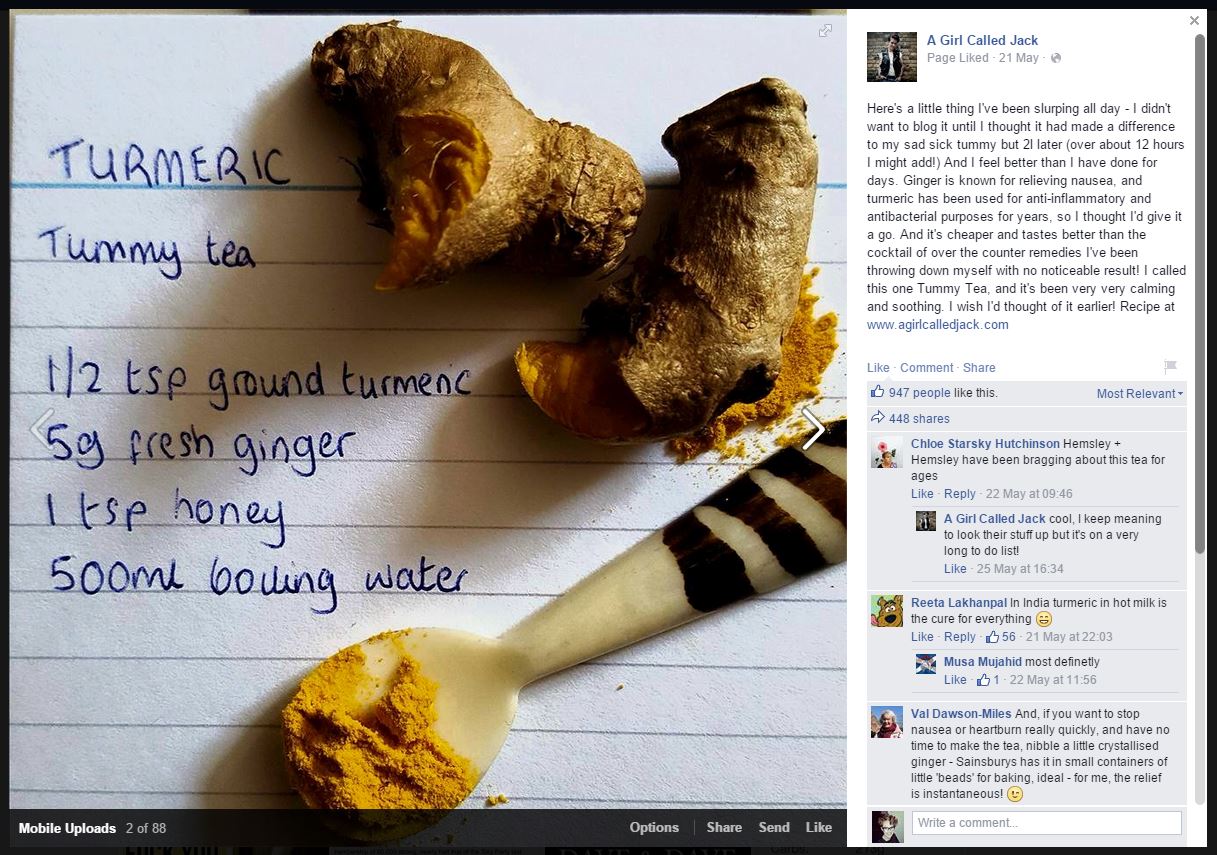
A Girl Called Jack uses Facebook images to post short, easy recipes
Many small businesses use their blog to educate and entertain their audience. However, Facebook’s content-rich platform means you can combine video, image, text and discussion in much more compact way than on a website. This makes it an excellent platform for educational content that’s not too long and enhances people’s experience of browsing Facebook (which is their main purpose for being there).
Educational content is also more popular than ever, shown by the boom in lifestyle bloggers, DIY and short, image-only tutorials on Pinterest. Producing educational content takes time but is very shareable and valuable for customers, helping you develop a stronger relationship.
To create educational content on Facebook, first decide what tutorial would most benefit your customers – your customer service queries will be helpful here. Your tutorial should also showcase your products, service and expertise effectively. Once you’ve decided, gather your materials and make sure you have a high quality camera to take photos of each step. Edit and upload the photos into an album along with clear, but concise, instructions. Use a photo of the finished item as the first album image so customers are excited by what they could make, and include a timelapse video or .gif of the tutorial steps if possible.
Some examples of great educational content could be:
- A simple cake recipe from a bakery
- A skincare regime from a beauty salon
- A self-assessment guide from an accountant
Your Facebook tutorial should be related to your business but doesn’t have to be directly connected. The key is to choose a tutorial subject your audience will love, and showcases your business in the best light. So an American diner might not have a tutorial on how to make hotdogs – but they could have a tutorial on how to make American flags and banners for a movie night.
#3: Use unique content to link the online and offline
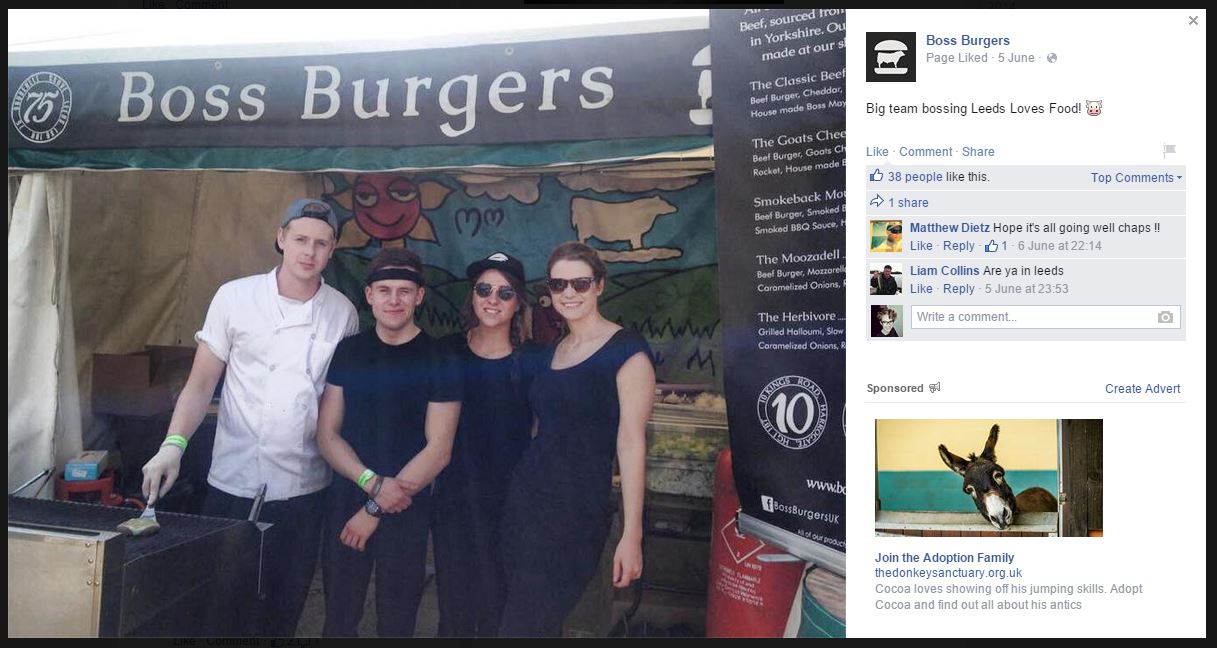
Leeds-based Boss Burgers promotes offline activity as well as highlighting their staff
Every business exists in the physical world as well as the digital. For customers, it’s important their experience of your business in ‘real life’ matches what they get online; so if they can order products quickly online but then it takes four weeks to be delivered, they’ll be disappointed.
Facebook is the ideal place to link what’s happening online with what’s happening offline, as the channel crosses boundaries between social and professional lives. By showing customers what’s happening in your shop, your office or your home, you’ll achieve a stronger relationship because they’ll feel like you’re ‘opening up’ to them. People buy people, not big brands, and customers want to see the real people behind your business.
Creating Facebook content which links the online and offline first means working out what your audience wants to know about, and what’s going to interest them the most. Whatever you share should be meaningful and, especially for businesses with a bricks-and-mortar store, encourage customers to visit. Avoid anything that’s mundane, unprofessional or negative as customers will be bored or offended.
Some examples of good content linking online and offline could be:
- Mini-interviews with customers who visit your shop
- Photographs from your visits to key suppliers
- Staff profiles and what they’re focusing on that week or month
- Short videos or timelapse videos of exciting events
The golden rule is to choose content which shows how your business is different from every other business, both online and offline. That means planning carefully to make sure interesting events are recorded properly, and using the USP set out in your business plan to help guide you.
Conclusion
With 24 million UK users every day, Facebook is an ideal channel where small businesses can develop stronger relationships with their customers.
My three engaging Facebook ideas for small businesses are:
1. Use photos to highlight your customer base
Choose a photography theme which is related to your business yet wide enough to create interesting content.
2. Use tutorials to educate your customers
Choose a tutorial subject your audience will love, and showcases your business in the best light.
3. Use unique content to link the online and offline
Choose content which shows how your business is different from every other business, both online and offline.
If you’re keen to learn more about generating brilliant content for social media, take a look at the digital marketing sessions and workshops I offer for small businesses or contact me to find out more.